


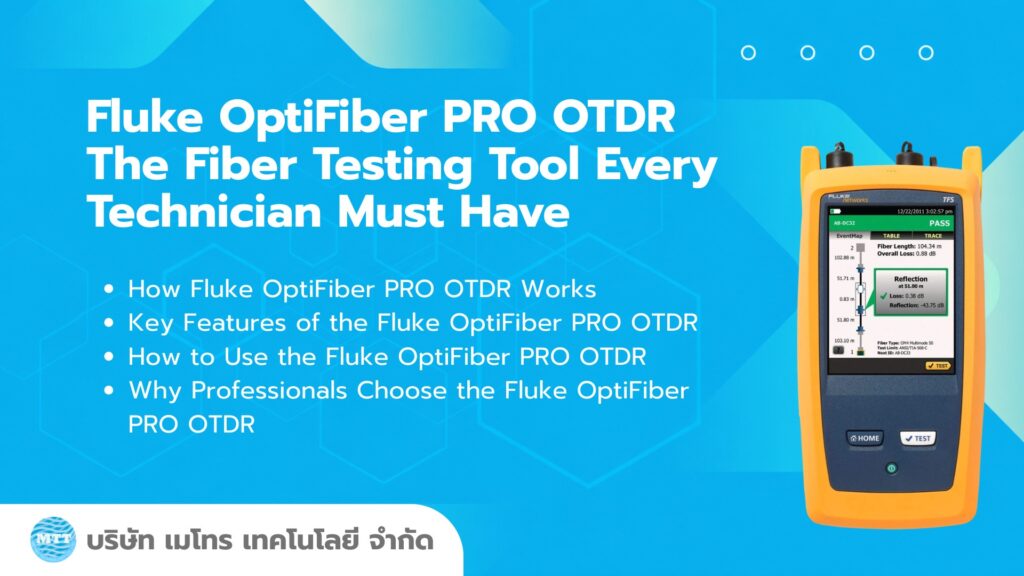
In today’s network infrastructure, where Fiber Optic serves as the backbone for Data Centers, telecommunications systems, and enterprise networks, installation accuracy and cable quality are critically important. Even minor issues—such as non-standard splice points or excessive fiber bending—can immediately lead to signal loss or even complete system failure.
One of the globally recognized tools for fiber inspection and analysis is the Fluke OptiFiber PRO OTDR, a professional-grade instrument designed to help technicians and engineers accurately, quickly, and reliably verify the quality of fiber optic installations.
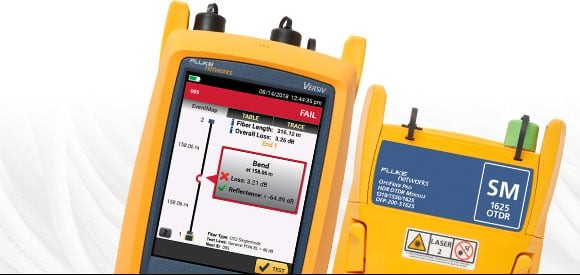
What is the Fluke OptiFiber PRO OTDR?
Fluke OptiFiber PRO OTDR (Optical Time Domain Reflectometer) is a tool used for deep analysis of fiber optic cables. It works by sending light pulses into the fiber and analyzing the returned light (backscatter) to generate a graph that represents the entire condition of the fiber link.
The device can display important information such as:
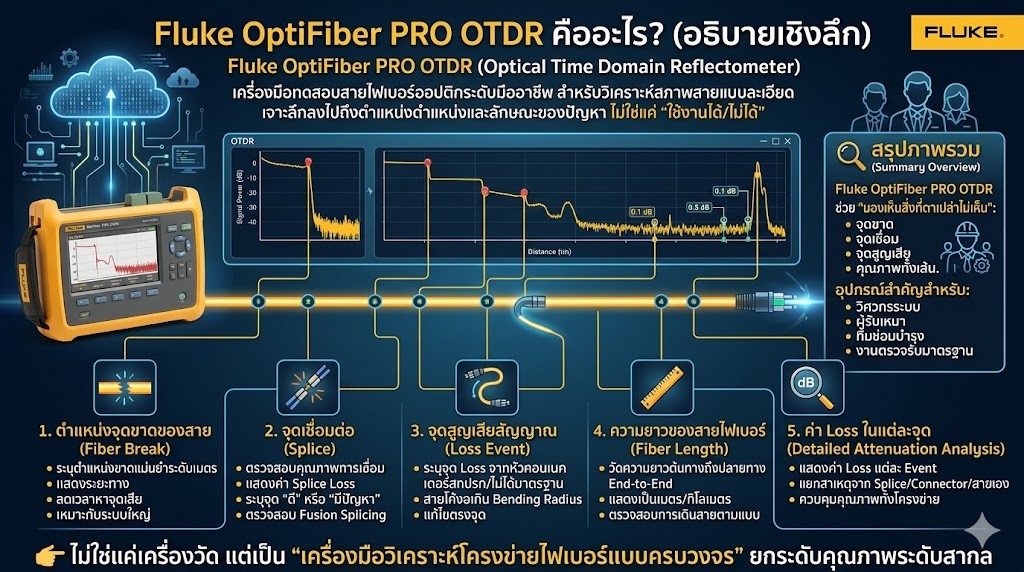
Location of Fiber Break (Fiber Break Detection)
OTDR can accurately identify the exact point where a fiber optic cable is broken or becomes discontinuous, with meter-level precision.
- It displays the distance from the starting point to the break location along the fiber link.
- The analysis process is fast and does not require manual tracing of the cable.
- It is especially suitable for troubleshooting in large-scale network systems.
Splice Points
A splice is the point where two fiber optic cables are joined together, and it can become a major source of signal loss if not properly installed.
- OTDR can evaluate the quality of each splice connection.
- It displays the loss value at each splice point (Splice Loss).
- It can clearly identify whether each splice is “good” or “problematic.”
- It is used to verify the quality of Fusion Splicing after installation.
Loss Events
A Loss Event is a point where the optical signal experiences abnormal attenuation.
- It can be caused by several factors, such as:
- Dirty or non-standard connectors
- Fiber bent beyond the allowed bending radius
- Incomplete or poor-quality connections
- Improper installation practices
Fiber Length (Length of Fiber Optic Cable)
OTDR can measure the length of a fiber optic cable without requiring any additional tools.
- It measures the distance from end-to-end (from the starting point to the end point of the fiber link).
- The results are displayed as a distance value in meters or kilometers.
- It helps verify whether the installed cable route matches the original design or plan.
Loss per Point (Detailed Attenuation Analysis)
One of the key advantages of OTDR is its ability to display loss at each individual point along the fiber link.
- It shows the loss value for each event on the fiber trace.
- It can distinguish whether the loss is caused by a splice, a connector, or the fiber itself.
- It is used to evaluate the overall installation quality of the entire network system.
How OTDR Works
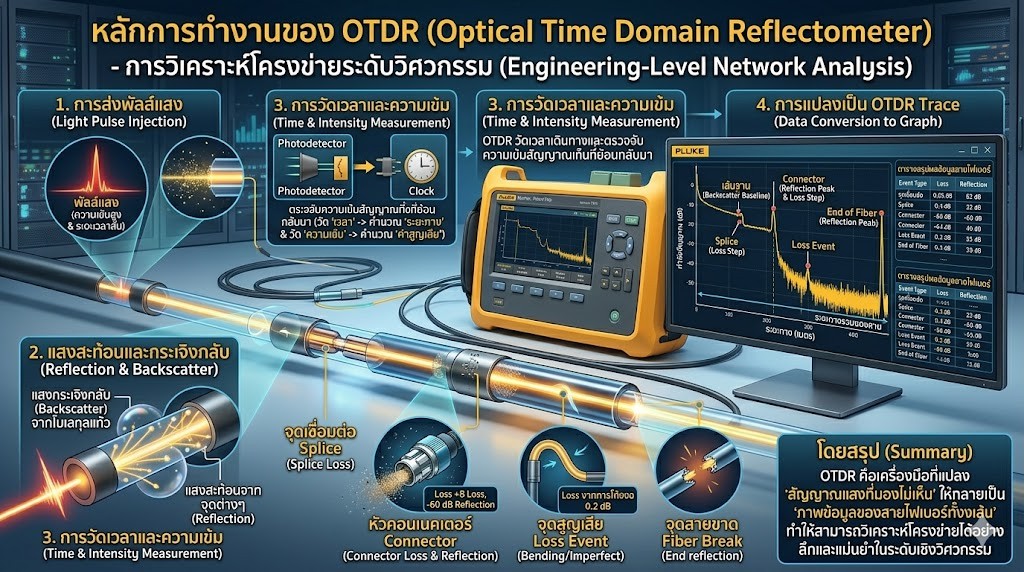
OTDR (Optical Time Domain Reflectometer) operates by sending very short, high-intensity light pulses into a fiber optic cable. The device then detects the backscattered light and reflected signals from various points along the fiber, such as splice points, connectors, or areas with structural abnormalities in the cable.
As the light travels through the fiber, the OTDR measures the time and intensity of the returning signals. It then converts this data into distance and loss values at each point along the fiber link. All of this information is displayed as a graph called an OTDR trace.
This trace provides a complete visual representation of the entire fiber optic link in a single view. It allows users to quickly identify locations with abnormal signal loss, faulty connections, or fiber breaks. In addition, it can analyze signal attenuation in detail across the entire length of the fiber with high accuracy.
In summary, OTDR is a tool that transforms invisible light signals into a visual map of the entire fiber optic cable, enabling deep and highly accurate engineering-level network analysis.
Key Features of Fluke OptiFiber PRO OTDR
1. Easy to Use, Even for Non-Experts
Fluke OptiFiber PRO OTDR is designed for both engineers and field technicians. It features an intuitive user interface (UI) and a structured workflow that is much simpler than traditional OTDR systems.
In addition, it includes Auto Test, Smart Loop, and Smart Trace Analysis functions, which automatically configure test settings and reduce user errors. This allows even non-expert users to start operating the device and interpret basic results quickly.
Overall, it significantly improves convenience and reduces the learning curve in field operations.
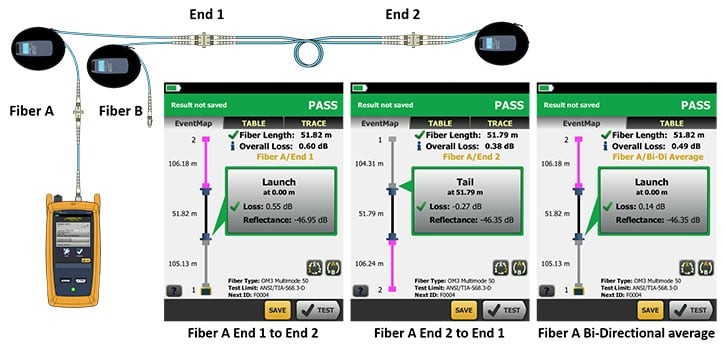
Test it right and test it fast with SmartLoop – included for free in all OptiFiber Pro modules.
2. Professional-Level Precision Analysis
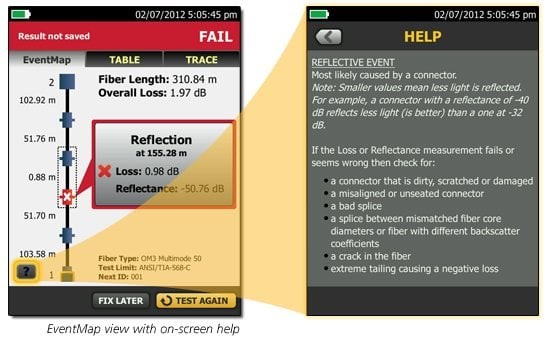
The device is capable of analyzing fiber optic cables at an engineering level of detail. It can accurately identify different events along the fiber link with meter-level precision, such as splice points with abnormal loss, contaminated connectors, or fibers bent beyond the standard bending radius.
The data provided is highly detailed, allowing engineers to pinpoint the exact cause of issues. This reduces guesswork and significantly shortens the time required for troubleshooting and system repair.
3. Supports Both SMF and MMF
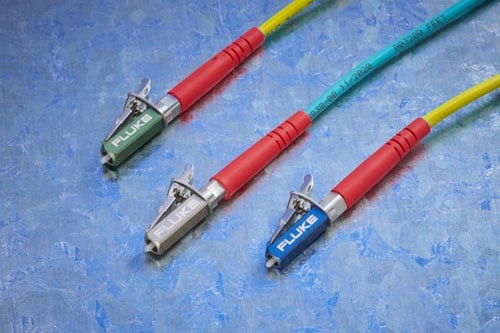
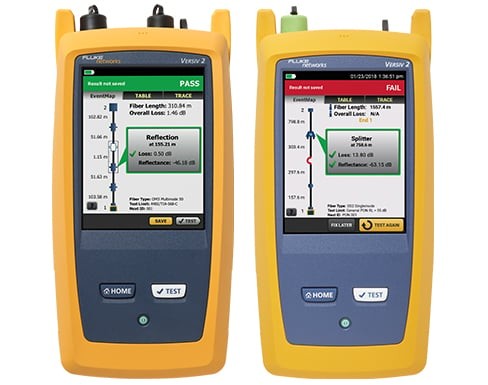
Fluke OptiFiber PRO OTDR supports testing for both Single-mode Fiber (SMF) and Multi-mode Fiber (MMF) in a single device. This allows it to be used across a wide range of network infrastructures, from long-distance backbone systems (SMF) to indoor networks and data centers (MMF).
This dual compatibility reduces the need for multiple testing instruments and increases flexibility for installation and maintenance teams, making field operations more efficient and cost-effective.
4. Reduced Inspection Time
With its Auto Event Analysis and intelligent processing system, the device can automatically detect and classify events on the fiber link such as splices, connectors, macro-bending, or fiber breaks. This eliminates the need for manual, point-by-point graph analysis. As a result, the entire testing process—from installation to commissioning—becomes significantly faster, reducing field testing time by several times compared to traditional methods.
5. Ideal for Large-Scale Network Infrastructure
The OptiFiber PRO OTDR is designed for large-scale infrastructure applications such as backbone networks, ISPs, telecommunications systems, and data centers, where complexity and high-precision analysis are critical. It can handle multiple fiber links efficiently, store test data systematically, and generate professional reports. This makes it highly suitable for certification-level work and ensures reliability that meets enterprise and national infrastructure standards.
Main Applications of OptiFiber PRO OTDR
1. Post-Installation Quality Verification (Commissioning Test)
Used immediately after fiber installation to verify that cable routing, splicing, and connector termination meet required standards. It ensures that loss values are within acceptable limits and that the system is fully ready for service before handover.
2. Fiber Fault Troubleshooting
Used to analyze network issues such as signal degradation, link failure, or reduced performance. It can identify the exact cause of the problem—such as fiber breaks, faulty splices, dirty connectors, or excessive bending—reducing troubleshooting from system-wide inspection to precise point detection.
3. Baseline Data Storage for Future Comparison
Allows users to store a “normal condition” reference (Baseline Trace) of the fiber network. This enables future comparison to quickly detect any changes, degradation, or developing faults in the system over time.
4. Network Certification Testing
Used to verify compliance with international standards such as TIA and ISO. It confirms that fiber installations meet required specifications for loss, reflectance, and continuity. This is essential for project acceptance and formal handover by contractors and engineers.
5. Long-Distance Network Applications (ISP & Telecom)
Ideal for backbone networks operated by internet service providers and telecommunications companies. It is used to test long-distance fiber links across cities or countries, including backbone routes and connections between data centers.
6. Splicing and Connector Quality Verification
Used to evaluate the quality of fusion splices and fiber connectors by checking loss and reflectance levels. This ensures consistent installation quality across all connection points.
7. Preventive Maintenance
Can be used periodically to monitor fiber network health and detect early signs of degradation such as moisture ingress, micro-bending, or increasing loss levels—helping prevent unexpected network outages.
8. Data Center and Cloud Infrastructure Testing
Used to inspect fiber backbones inside data centers, server farms, and cloud environments. It ensures low latency, stable connectivity, and eliminates potential bottlenecks in high-speed data transmission systems.
Why Do Professional Technicians Need OTDR?
In fiber optic systems, most problems are not visible from the outside, as the light signal travels within the glass core of the fiber. As a result, many issues—such as poor splices, excessive bending, or signal loss points—are hidden within the network and cannot be detected by visual inspection alone.
Therefore, OTDR is an essential tool that allows technicians to “see the invisible” inside the fiber optic infrastructure.
Reasons Why Professional Technicians Use OTDR
| Main Reason | Detailed Explanation | Real-World Outcome |
| Reduce troubleshooting time | OTDR locates faults along the fiber link by distance, such as splice points, connectors, or fiber breaks, without needing to inspect each section manually | Faster resolution—from inspecting the whole system to identifying a single exact point |
| Lower maintenance costs | No need to dismantle the entire system or replace multiple components; repairs can be done only at the affected location | Reduced labor cost, equipment cost, and network downtime |
| Increase confidence in project delivery | OTDR traces serve as proof of installation quality, showing loss, reflectance, and splice performance | Easier acceptance testing with professional-grade documentation |
| Prevent future recurring issues | Baseline traces can be stored and compared later to detect changes in fiber condition | Early detection of degradation before system failure occurs |
| Reveal hidden problems | Detects issues not visible to the naked eye such as micro-bending, poor connections, or internal signal loss | Deeper analysis of the fiber’s internal condition |
| Ensure engineering-grade quality control | Used for compliance with TIA/ISO standards in installation and handover processes | Higher reliability and standardized network performance |
| Support large-scale networks | Designed for complex infrastructures such as backbone networks, ISPs, telecom systems, and data centers | Efficient management of large and complex fiber networks |
Conclusion
Fluke OptiFiber PRO OTDR: The Fiber Testing Tool Every Technician Must Have
The Fluke OptiFiber PRO OTDR is a powerful instrument that elevates fiber optic work from simple “guesswork” to highly accurate, in-depth analysis. It enables comprehensive inspection of fiber optic networks—from identifying fiber breaks and signal loss to evaluating overall installation quality—all within a single device.
With its detailed OTDR trace display, meter-level fault location accuracy, and support for installation, commissioning, and maintenance tasks, this tool significantly reduces working time, lowers troubleshooting costs, and increases confidence in project delivery.
Therefore, for fiber optic technicians, engineers, and network administrators, the Fluke OptiFiber PRO OTDR is not just a testing tool—it is a professional standard device that enhances work quality and ensures readiness for modern network infrastructure.
.
If you need to rent network testing equipment or require installation services, feel free to inquire for more information at Metro Technology Co., Ltd. or click here to contact us.